Warm, plain, concrete.
Independent product R&D Prompty + Planning Harness
I built two tools that let agents pick up work without reconstructing the brief.
01 Planning Harness · working system
The same plan, whether I move a card or an agent edits JSON.
I plan across fifteen personal products in one live Kanban. Each product has its own manifest. I can add, reprioritize, block, or archive work in the browser; an agent can update that same product file and run one validation build. I do not copy status between tools.
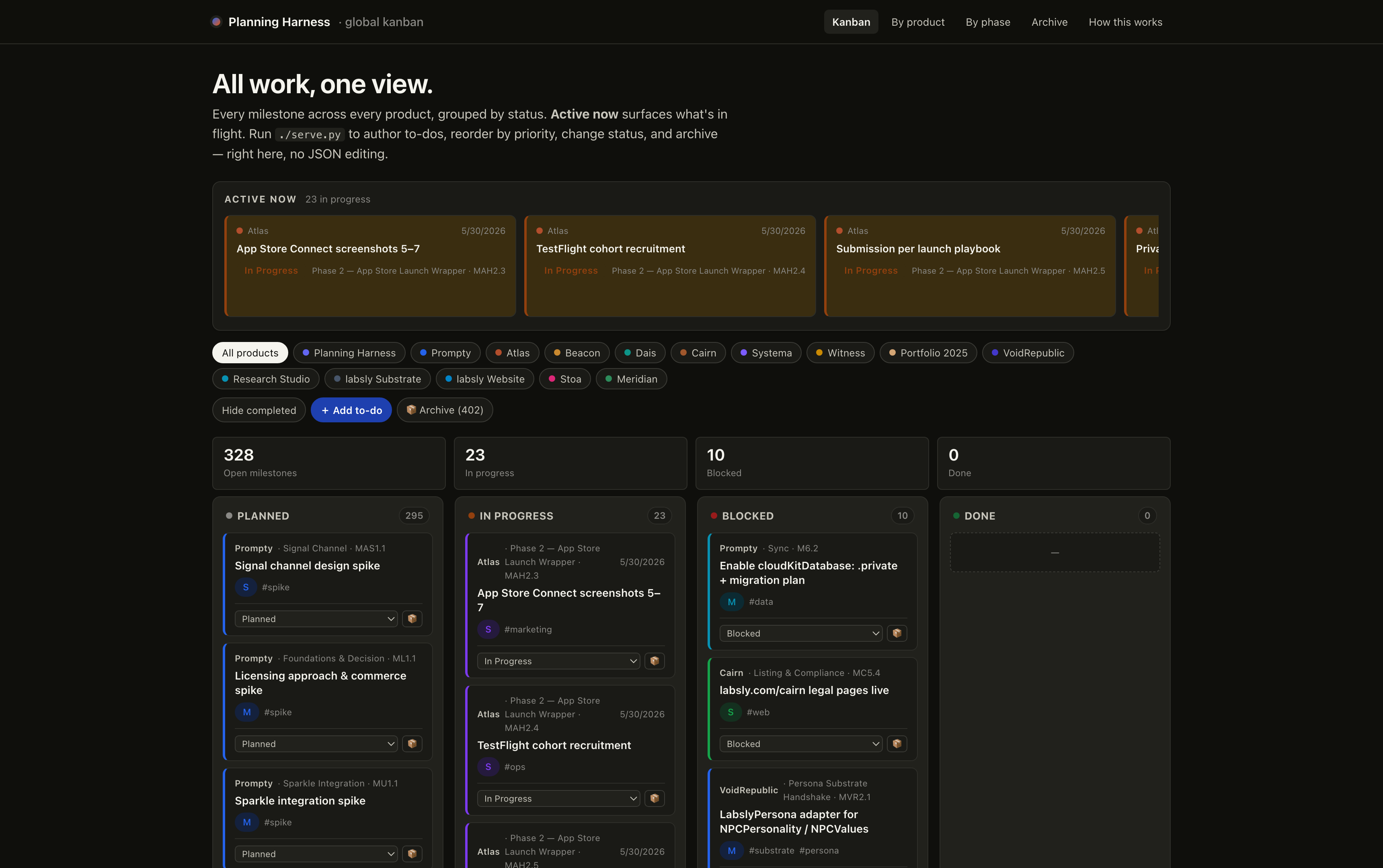
- 15
- personal products
- 730
- milestones
- 1
- shared plan
One shared record removes the duplicate tracker—and the stale handoff.
02 Prompty · current product
“Hand to Agent” selects a live collection. It does not send one.
A Collection combines prompts and reference material I expect to reuse. Pressing the button records which Collection is staged. Claude Desktop, Claude Code, or Codex still has to request it through a read-only tool, and only if I enabled Collection access for that client.
Collection 03 · reusable context
↗ Hand to Agent Launch copy
Two prompts and one reference document, kept together as one live bundle.
No jargon. Lead with the verb.
Positioning, audience, and product proof.
Ready to use with Claude Code
Nothing has been sent yet Ask Claude Code to load “Launch copy.” All 3 items will be available together.
AccessOff by default and granted separately per client.
FreshnessRebuilt on every read so the next pull reflects source edits.
ReceiptEach read appears locally in a session-based Access Feed.
03 Prompty Goal Loops · current product
Tell Claude Code what “done” means—then make it prove it.
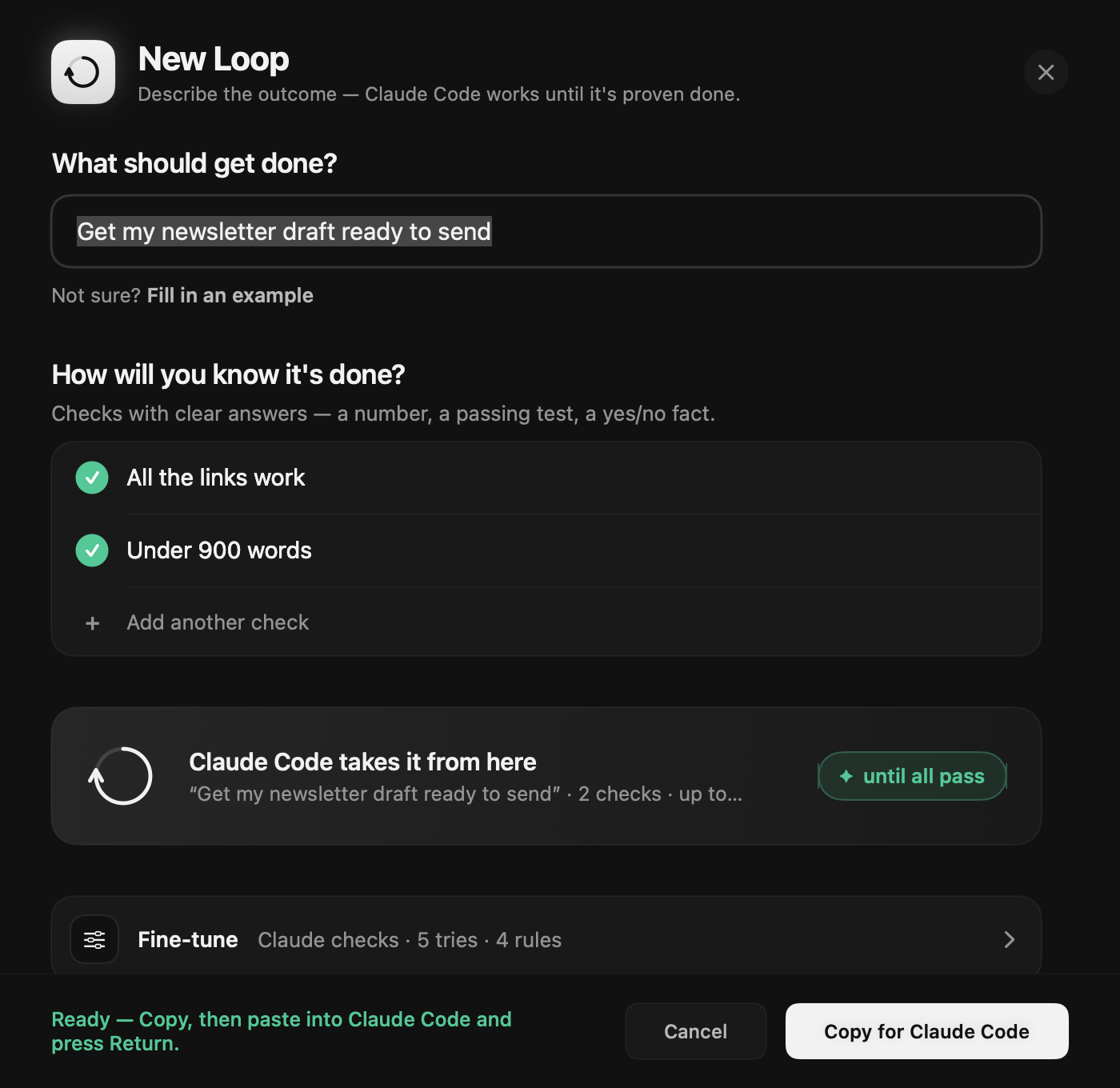
New Loop asks two plain questions: what should get done, and how will you know it is done? Prompty turns the answers into reusable instructions. After each attempt, Claude Code runs the same checks. Passing ends with evidence; reaching attempt five without a pass ends with an explanation.
04 Prompty Proof · testing my own design
Then I used Prompty to test whether its redesign made the first use easier.
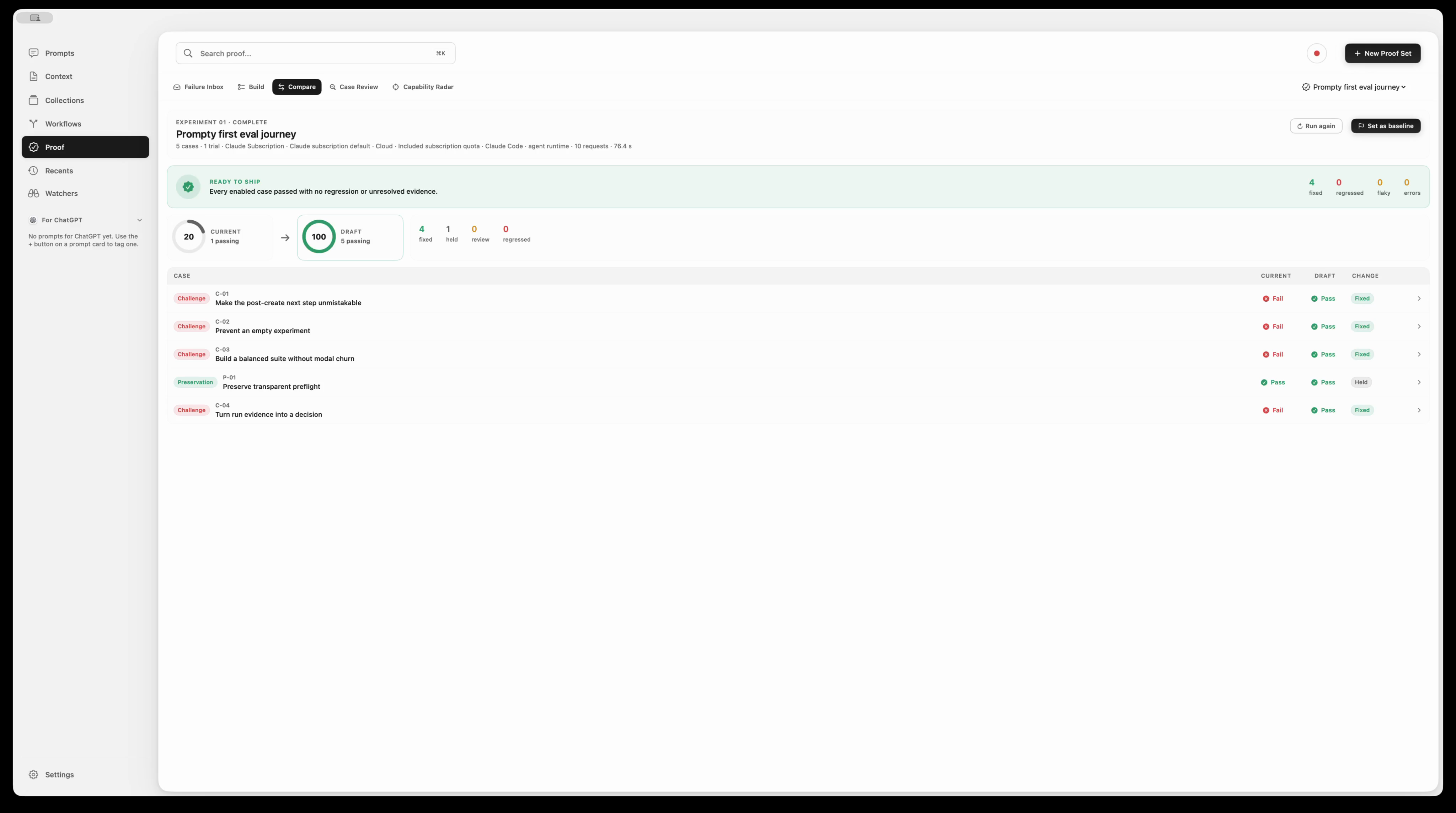
Instead of asking whether the new version simply “felt cleaner,” I wrote down the five things a new user needed to understand and do. Then I checked both designs against those same five questions.
What I checked
Each question covers a moment where a first-time user could get stuck.
After creating a test, the person should be taken straight to what they need to do next.
Prompty should wait until there is something meaningful to check.
The setup should capture both the desired improvement and what must keep working.
The person should see exactly what Prompty is about to check.
The result should show what passed, what failed, and what to do next.
Why this mattered
The comparison gave me a clear reason to build the redesign. It solved four places where a new user could get stuck and kept the one step that was already clear.
The improved version took people straight to the setup, showed what information was still missing, stopped them from starting too early, and explained the results in plain language. I used this comparison to decide what to build; it did not replace research with real users.05 Scope of the evidence
What this work demonstrates—and what it does not.
The interfaces, source paths, render tests, and internal comparison above are implemented and used in my own practice. They show how I turn context, planning state, success criteria, and review into working product behavior. They do not claim external customer adoption or a generalized productivity lift; both products remain active independent R&D.
Evidence Real UI captures · current source behavior · passing render tests
Ownership Sole creator · product strategy · design · engineering
Limits Personal usage · internal evaluation · active development